
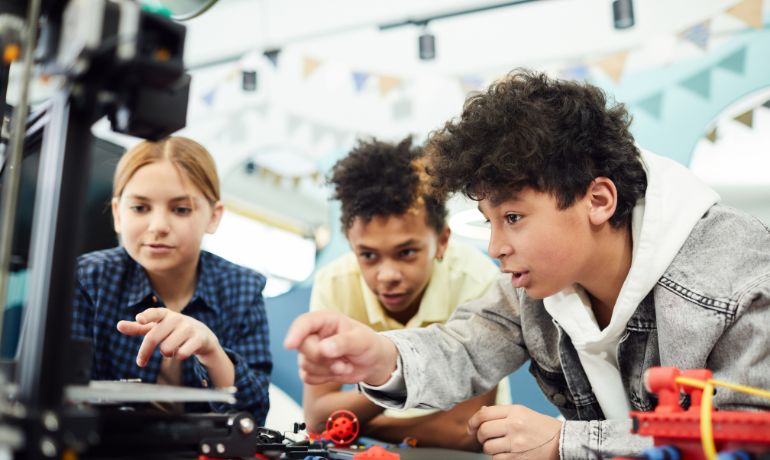
Winter in the Pacific Northwest brings shorter daylight hours, persistent cold weather often accompanied by rain, sleet, or snow, and fewer opportunities to engage in outdoor activities, at least during the school week. For many K-12 classrooms, this season can be challenging for educators, as student engagement levels shift and holiday schedules disrupt routines. Creative technology projects offer a practical way to keep learning active, collaborative, and meaningful during these months. When designed thoughtfully, they turn time spent indoors into opportunities for creativity, problem-solving, and connection.
Northwest Council for Computer Education (NCCE) supports educators in using technology that enhances instruction rather than simply filling time. Here are a few accessible project ideas and strategies suited to PNW classrooms, emphasizing purposeful use that supports learning goals while respecting varying levels of device access and teacher capacity.
Why Creative Tech Projects Matter in Winter
In these northern latitudes, winter can affect attendance, focus, and motivation. The “winter blues” is not just a myth here, especially when it comes to young students who may feel cooped up. It’s important that students remain active, which means shifting to technology projects that emphasize creative stimulation over passive consumption. Encouraging students to design digital stories, build interactive models, code seasonal simulations, or collaborate on shared digital spaces can spur genuine interest that makes the best of forced indoor time by making it attractive and fun. Even more, these activities often align with standards in language arts, science, math, art, and computer science while building digital literacy and soft skills such as collaboration and iteration.
Well-chosen projects also support equity. Many can be completed with existing school devices, free or low-cost tools already in many districts, or hybrid approaches that blend digital and hands-on elements. The key is selecting activities that invite student voices and produce tangible outcomes students can share with peers or families.
Practical Project Ideas for Winter Classrooms
Here are a few ideas to try:
- Digital Storytelling and Multimedia Narratives: Have students create digital short stories, podcasts, or illustrated e-books exploring winter themes, local history, personal reflections, or fictional tales. Tech tools such as Book Creator, Canva for Education, or free audio editors allow students to combine text, images, drawings, and voice recordings. In elementary grades, this can reinforce narrative structure and sequencing. For older students, use these tools more to demand a bit more in terms of story-telling; explore perspective, research local winter traditions, or produce public-service style pieces on community topics. These projects naturally support literacy goals and provide authentic audiences when shared in class galleries or school newsletters.
- Coding Seasonal Simulations and Interactive Experiences: Coding projects are not just tasks reserved for a limited group of “computer geek” students. Using block-based or introductory text-based coding platforms (such as Scratch or similar free environments), students with varying degrees of tech skills can learn to tackle coding challenges, such as designing an interactive winter scene, constructing a simple weather model, or creating a holiday-themed game that reinforces math or science concepts. These activities develop computational thinking while remaining flexible for different skill levels.
- Collaborative Digital Maps and Community Projects: Stimulate interest by engaging students in learning more about the region. For example, assign a group project that requires a team to research and map local PNW winter phenomena such as migration patterns, community events, historical sites, or weather data using collaborative mapping or presentation tools. Projects can encourage students to incorporate their own photos and short video clips, or to design computer simulations. This approach encourages research skills, geographic awareness, historical research, and teamwork while connecting classroom learning to the local area.
- Maker and Design Challenges with Digital Documentation: Not every project has to be completely tech-intensive. Tech tools can be combined with low-tech features that require them to manufacture visual aids or models. Students can design winter-themed inventions, prototype solutions to a classroom challenge, as well as photographs, short videos, or digital annotations. Free tools for photo editing, simple video, or digital portfolios help students reflect, compose, collaborate, and share. This blend keeps screen time purposeful and supports creative, technical, and teamwork skills.
- Accessible AR/VR Exploration and Creation (if Available): In schools that have access to AR/VR resources or free browser-based options, educators can ask students to explore virtual winter environments, historical sites, or scientific concepts, then create simple theme-based annotations or reflections to share what they’ve learned. Focus should be on guided exploration tied to clear curriculum objectives rather than open-ended entertainment.
Implementation Tips for Educators
Tech projects designed to keep students engaged over the winter can be a catalyst for stimulating student interest in developing technological skills they might not otherwise be exposed to. For optimal effectiveness, start with clear learning objectives and keep project scopes manageable. Short cycles (one to two weeks) work well during the busy holiday period without overwhelming students. Provide multiple options within structured parameters so students feel ownership and have the opportunity to pursue projects related to subjects or ideas that they find inspiring.
Address equity by offering multiple pathways for contribution, for example, some fully digital, while others are hybrid or paper-based with optional digitization. Ensure all students can participate meaningfully regardless of home device access. Build in checkpoints for feedback and celebration of work in progress.
Aligning Projects with Broader Educational Goals
Creative tech projects during winter months can reinforce good digital citizenship practices, accessibility initiatives, and purposeful technology use that meet educational objectives. When students understand why a tool is chosen and how it supports their learning, the experience becomes more intentional and more beneficial. Documenting processes and outcomes also gives students useful content to build up their portfolios, and provides helpful input for communicating with parents about what their children are doing and how they are learning.
NCCE encourages educators to select tools and projects that demonstrably support instructional goals rather than adding a tech activity for its own sake or to fill time. In an environment of evolving expectations around screen time and technology value, projects that produce visible learning and student growth stand out.
Supporting Educators Across the Northwest
Winter offers educators a natural window for creative exploration. Rather than view this time as a difficult challenge, use it as an opportunity to develop key technical skills that can benefit students as they progress toward a more technology-based economy. With thoughtful planning, technology can help students stay engaged, build skills, tap into their creative sides, and connect with peers.
Reach out to NCCE to explore professional learning opportunities and sign up for our newsletter to get the most out of what we offer and to stay up-to-date with the latest EdTech initiatives and trends happening in the Northwest. NCCE provides professional learning, resources, and community connections to help educators design and implement meaningful technology experiences. Whether you are refining existing practices or exploring new project ideas, we are here to support your work. Together we can help PNW students make the most of the winter months through creative, purposeful technology use.