
By Mike Agostinelli
On August 21, staff from San Juan Island School District #149 gathered in Friday Harbor for their annual tech day right before students returned. Three NCCE learning specialists made the ferry crossing: Dr. Jason Neiffer, Paige Somoza and me. Six hours, nine sessions and roughly a hundred educators spent the day training because district staff explicitly requested it.
The Request San Juan Island previously completed two straight years of district-wide AI training. Staff feedback was clear: they wanted deeper, practical instruction in daily Google tools. A team struggling to find permission forms or emailing four versions of a schedule will not gain much value from a chatbot. AI works best when added to solid everyday workflows.
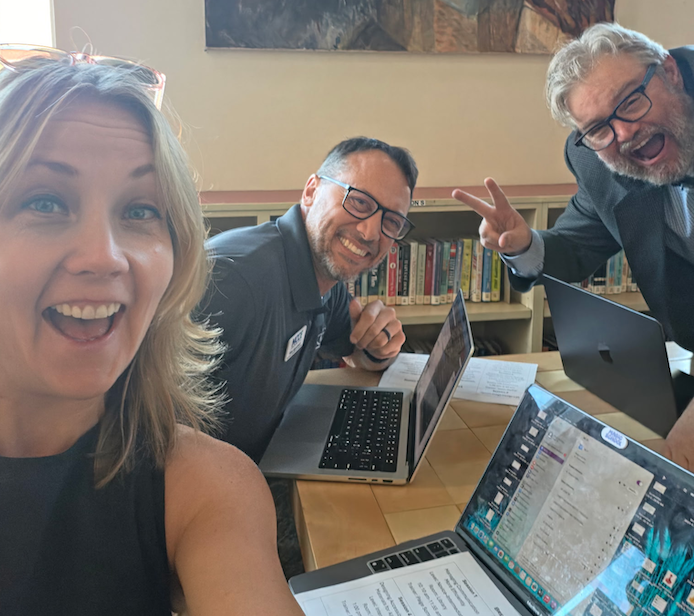
The Session Structure To accommodate varying skill levels, each trainer stayed in one room and taught three sessions that moved from foundational to applied concepts. Participants chose sessions based on interest.
Morning sessions covered essentials:
- Google Workspace Connections (linking Drive, Docs and Calendar to prevent lost files)
- Gmail Communication Strategies (filters, search, templates and Google Chat)
- Digital Workspace Resets (a 90-minute cleanup for inbox and Drive organization)
Afternoon sessions focused on applied skills:
- Accessible Learning Material Design
- Practical Workplace AI (using Gemini and NotebookLM with FERPA boundaries)
- Student AI Guidance for Grades 6-12
- Critical Thinking Across Workspace
- Data Collection Strategies (Forms design and data validation)
- Gemini Image Design Lab (creating functional workplace visuals)
Every session remained strictly hands-on through click-along drills and live drive cleanup.
Core Takeaways
1. Small habits beat feature tours Simple file naming rules like 26-27_Grade3_Literacy help staff locate shared files months later. Data validation settings in Google Forms similarly prevent duplicate entries before they hit spreadsheets.
2. Training belongs to all staff Paraeducators, office staff and administrators participated alongside teachers. Watching front office teams set up shared calendars and appointment schedules addressed long-standing workflow gaps.
3. Clear boundaries build confidence Sessions clearly identified red-light data (student names, IEP details and medical records) alongside approved uses (curriculum planning, email drafts and templates). Clear parameters encourage active use.
If your district is thinking about this
We’re two weeks into the school year now, which is exactly the moment the good intentions from August start to slip. If your building is already drifting back into inbox chaos and untitled documents, that’s not a discipline problem — it’s a systems problem, and systems are teachable.
A few questions worth asking your leadership team:
- Do we have a shared baseline, or are our staff at wildly different levels with no plan to close the gap?
- Are our support staff included in tech PD, or only our classroom teachers?
- Has anyone told our staff, in writing, what’s safe to put into an AI tool?
- When we do PD, do people leave with something they built, or with notes they’ll never open?
NCCE builds days like San Juan Island’s for districts of every size across the Northwest and beyond. We come to you, we survey your staff ahead of time, and we customize the sessions to the burning needs your people actually name — not a canned catalog. Whether it’s a single-day Google Workspace reset, an AI implementation arc, or a multi-year plan, our specialists have been in your seats and know what a real school day looks like.
To Fred Woods and the entire San Juan Island team: thank you for a genuinely great day, and for showing what it looks like when a district asks for the training its people say they need.
Ready to plan your own? Learn more at ncce.org/professional-learning or reach out at ncce@ncce.org.